
Introduction
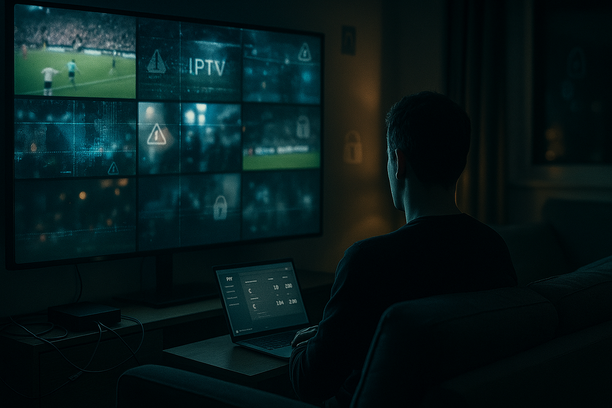
GE IPTV is a catch-all label people in Ireland and the UK often use for cheap IPTV subscriptions that promise thousands of live channels, sports, and movies at a fraction of Sky or Virgin prices. These services usually sit in a legal grey area, often reselling copyrighted streams without permission, which can put users at risk of fines, data theft, or sudden service shutdowns.
This guide is written for Irish and UK viewers who are curious about IPTV, thinking of cutting the cord, or already testing “GE-style” IPTV services. The focus is clear and factual: no scare tactics, no sales pitch. You’ll see how IPTV works, what setup typically involves on devices like Firestick and smart TVs, what it really costs compared to traditional TV, and where the main risks come in for grey‑market providers.
Several UK and EU anti-piracy operations in recent years have led to arrests of IPTV sellers and confiscation of user records, with courts confirming that streaming copyrighted content from illegal services can be treated as copyright infringement. At the same time, legal IPTV and catch‑up options have expanded, and guides such as the main IPTV Smarters blog now help viewers draw a clearer line between safer and risky choices.
By reading on, you’ll learn:
- What GE IPTV-style services actually are, and how they differ from legal options such as curated IPTV UK services.
- Typical setup steps, apps, and devices used for IPTV in Ireland and the UK.
- Realistic pricing ranges, from very cheap grey‑market subs to legitimate paid IPTV subscriptions.
- Common problems users report: buffering, downtime on match days, blocked payment methods, and sudden service bans.
- Key legal and privacy risks, and why using a VPN is often discussed in IPTV communities.
- Safer alternatives and practical tips if you still decide to experiment.
If you want a clear, honest picture of what you’re really getting into with GE IPTV—before you hand over your card details or share your IP address—this guide will walk you through it so you can make an informed decision.
GE IPTV Explained: What It Is (And Why Irish & UK Viewers Are Searching for It)
Building on that general overview, it helps to be precise about what people mean when they say “GE IPTV” in Ireland and the UK. It isn’t a well-known brand like Sky, Virgin Media, BT or Eir. When users type “GE IPTV” into Google, they’re usually talking about a grey‑market IPTV subscription that gives them hundreds or thousands of channels for a low monthly fee.
In simple terms, IPTV stands for “Internet Protocol Television” – TV delivered over your broadband instead of a satellite dish or standard cable. A typical GE IPTV‑style service is:
- Run by an unofficial provider (not a major broadcaster).
- Sold through Telegram, WhatsApp, Facebook groups, or small websites.
- Accessed using IPTV player apps on Smart TVs, Firestick, phones or tablets.
These services usually promise a big bundle of content under one subscription:
- Live TV – UK, Irish and international channels (news, entertainment, kids).
- Live sports – Premier League, Champions League, GAA, boxing and PPV events.
- Movies & series – on‑demand libraries with recent films and box sets.
- VOD & catch‑up – replays of shows for 24–48 hours or more.
Search interest in IPTV options has climbed sharply in both countries as monthly TV and sports bundles have become more expensive. Industry data shows that IPTV and other online video services now reach the majority of UK households, and Ireland has followed a similar pattern of cord‑cutting, with more viewers turning to internet‑delivered TV instead of traditional pay‑TV bundles. That shifting behaviour is why searches for terms like “GE IPTV”, “IPTV UK” and IPTV Ireland have risen together – people want cheaper, more flexible access to familiar channels.
What Irish & UK Users Usually Expect From “GE IPTV”
As you might guess from the motivations covered in the introduction, when someone in Cork, Dublin, London or Glasgow talks about GE IPTV, they usually expect:
- Huge channel counts – often advertised as 5,000–20,000+ channels, including:
- All main UK and Irish channels (BBC, ITV, Channel 4, RTÉ, Virgin Media).
- Sports packs (Sky Sports, TNT Sports, sometimes international sports feeds).
- International channels from Europe, the US, Middle East and Asia.
- Multi‑device access – the same subscription working on:
- Smart TV or a Firestick in the living room.
- A phone or tablet for commuting.
- A laptop when travelling.
- Low monthly price – often far below the cost of a full Sky or Virgin bundle.
- Easy streaming apps – using IPTV player apps that look and feel like a normal TV guide.
If you’re new to this, it helps to think of GE IPTV as a type of IPTV subscription that’s often sold in an unofficial way and marketed heavily to UK and Irish cord‑cutters who want “all the channels” without long contracts.
Simple Examples: What a GE IPTV Setup Might Look Like
Example 1 – Family in Dublin: A family cancels their traditional TV package and signs up for a GE IPTV‑style service that advertises 10,000+ channels. They install an IPTV app on their Samsung Smart TV in the sitting room, use a Firestick in the bedroom, and stream CBeebies, RTÉ One, Sky Sports and kids’ movies without needing extra set‑top boxes.
Example 2 – Football fan in Manchester: A football fan wants access to every Premier League and European match. They buy a 12‑month IPTV subscription, add the playlist to their preferred IPTV player, and flick between Sky Sports Main Event, TNT Sports and foreign sports channels on their TV and mobile, using the same account at home and occasionally abroad.
Those are the kinds of setups people have in mind when they search for “GE IPTV” – a single, internet‑based service promising huge channel lineups, sports, movies and series, all streamed over broadband to multiple devices.
The Problem: Why So Many Irish & UK Viewers Turn to GE IPTV Instead of Sky or Virgin
Once you understand what GE IPTV is supposed to deliver, the next question is why so many viewers are willing to leave familiar platforms like Sky and Virgin. For most households in Ireland and the UK, the monthly TV bill is the first pain point. A typical Sky TV + Sports + Cinema bundle in the UK can easily climb above £70–£80 per month once discounts expire, according to recent package comparisons from UK consumer sites and price checkers. Virgin Media’s TV bundles with Sky Sports and Sky Cinema often end up in the same bracket after the initial offer period. Over a year, that’s £900–£1,000+ for TV alone.
When people start comparing that to an IPTV subscription that might cost the equivalent of £8–£12 per month for thousands of channels, it’s not hard to see why searches for services like GE IPTV keep rising. Many Irish users already looking for cheaper sports and entertainment are reading resources such as this IPTV Ireland cheaper TV & sports guide before they cancel their satellite or cable package.
High Costs, Limited Choice
The frustration is not only about price; it’s about what you get for that price:
- Sports costs spiralling – To watch Premier League, Champions League, rugby, GAA, F1 and boxing across Sky Sports, TNT Sports and other add-ons, many households are stacking extra subscriptions on top of the base TV package. The total can run well over €100 a month in Ireland when you include HD/UHD fees and multiroom.
- Missing international channels – Sky and Virgin focus on UK & Irish channels. Fans of Turkish, Arabic, South Asian, African or Eastern European TV often find only a handful of options, usually at extra cost. IPTV providers, by contrast, typically promote access to thousands of international channels in one place.
- Paying for channels you never watch – Traditional bundles include dozens of kids, music or shopping channels many households barely touch, while key sports or international content sits behind yet another upgrade.
Irish and UK cord-cutters are increasingly aware that a tailored IPTV subscription setup can match what they actually watch instead of locking them into one-size-fits-all bundles.
Contract Fatigue and “Bill Shock”
Another big driver towards GE IPTV is contract fatigue. Sky and Virgin typically run 18–24 month terms. If you upgrade mid-contract (for example, to add Sky Sports for the football season), you can reset or extend that term and face hefty early termination fees if you leave.
- Intro offers vanishing – Customers sign up at £40–£50 per month, only to see the price jump by £15–£25 once the first 6–12 months end.
- Annual price rises – Above-inflation mid-contract price hikes have become common across major UK and Irish providers.
- Complex cancellation – Many Sky and Virgin users report long phone calls, retentions pressure and unclear final bills when trying to cancel.
By comparison, IPTV services are usually month-to-month or short-term (3–12 month) subscriptions with no dish installation, no engineer visit and less paperwork. For households who’ve had enough surprise increases, that simplicity is appealing.
Multi‑Device Viewing and Modern Habits
TV habits in the UK and Ireland have shifted dramatically. Ofcom’s media reports show a steady rise in streaming-only and “cord-light” homes that watch most of their content via broadband apps rather than traditional TV boxes. Younger viewers, in particular, expect to watch on:
- Smart TVs in different rooms.
- Amazon Firestick or similar streaming sticks.
- Tablets and phones on the go.
- Laptops and gaming consoles.
While Sky Glass/Stream and Virgin TV apps are catching up, many customers still feel tied to one main box, extra multiroom fees, or restricted viewing outside the home. IPTV apps are built around the idea that your subscription should follow you, whether you’re on a smart TV, Firestick or mobile.
Put high monthly bills, limited channel choice, long contracts and changing viewing habits together, and you have a powerful push towards alternatives like GE IPTV.
How GE IPTV Works in Practice: Devices, Apps, and Typical Features
The cost and flexibility reasons above lead many people to try IPTV, but the day‑to‑day experience is shaped by how these services actually work. A GE IPTV-style service replaces satellite or cable with TV channels streamed over your broadband connection. Instead of a dish, you get an account, a link or login, and an app that plays live channels, sports, films and catch‑up.
From Account to Channels: The Basic Flow
- 1. You buy an IPTV subscription – a provider gives you an account, usually for 1–12 months. For context, many UK/Irish services sell access as an IPTV subscription bundle with thousands of channels and VOD.
- 2. You receive your details – typically:
- an M3U playlist URL (a single link that contains your channels, groups and streams), or
- Xtream Codes (server URL, username and password you type into the app).
- 3. You install an IPTV player app on your device (Fire TV, Android TV box, Smart TV, phone, etc.).
- 4. You add your M3U or Xtream details – the app downloads your channel list and EPG (TV guide).
- 5. You watch – channels are streamed over the internet in real time, with separate sections for live TV, VOD films/series and catch‑up.
Nothing is stored permanently on your device by default. The app just requests a video stream from your provider’s server, plays it, then stops when you change channel.
M3U, Xtream Codes, EPG, VOD and Catch‑Up Explained Simply
- M3U playlist – a text file or URL that lists every channel and stream. Your app reads it and turns it into the on‑screen channel list, grouped into categories like “Sports”, “Movies”, “UK”, “Kids”.
- Xtream Codes login – a different way to connect: you enter a portal URL, username and password. The app pulls your channels and VOD directly from the provider’s panel instead of a static file.
- EPG (Electronic Programme Guide) – the 7‑day TV guide that shows what’s on now and what’s next. IPTV apps fetch this from a separate XML feed so you see proper programme names and times.
- VOD (Video on Demand) – a Netflix‑style library of films and TV box sets. You choose what to watch and when, instead of following a channel schedule.
- Catch‑up TV – some channels are recorded on the provider’s server for 24–72 hours, occasionally longer. You scroll back in the EPG and replay shows you missed, if your provider supports it.
Devices You Can Use With a GE IPTV‑Type Service
Most UK/Ireland cord‑cutters run IPTV on inexpensive streaming hardware rather than buying a new TV. A few common options:
- Amazon Fire TV Stick – very popular for IPTV in the UK and Ireland because it’s cheap and easy to hide behind the TV. Many “best IPTV for Firestick” guides, such as this Firestick IPTV guide, highlight it as a starter device for beginners.
- Android TV / Google TV boxes – Nvidia Shield, Chromecast with Google TV, and generic Android TV boxes handle IPTV apps well and often feel smoother than budget Fire Sticks.
- MAG boxes and dedicated IPTV boxes – designed purely for IPTV, often using portal-style interfaces. Good for people who want a simple remote‑driven experience.
- Smart TVs – Samsung, LG and others can run IPTV apps directly, but app choice can be limited depending on model and store policies. Many people still prefer a Fire Stick or box plugged in.
- iOS and Android phones/tablets – handy for watching on the go or casting to a bigger screen.
Popular IPTV Apps and What They Do
Your GE IPTV provider usually supports several IPTV player apps. These do not provide channels by themselves; they just play what your subscription gives you.
- IPTV Smarters / IPTV Smarters Pro – widely used on Fire TV, Android and iOS. It supports M3U and Xtream logins, EPG, VOD, catch‑up and profiles for multiple accounts. For a UK/Ireland‑focused walkthrough, see this IPTV Smarters Pro guide.
- TiviMate – popular on Android TV/Fire OS for its clean, Sky‑style TV guide and strong channel organisation.
- Smart IPTV (SIPTV) – an app mainly used on Smart TVs. You upload your M3U to their website, then the app downloads it to your TV and displays channels in a simple grid.
Practical Limitations: Internet Speed and Compatibility
Because everything is streamed over the internet, bandwidth is crucial. Most IPTV providers and streaming experts suggest around 10–15 Mbps per stream for smooth HD, and roughly 25 Mbps or more for 4K, especially if others in the house are online at the same time. If your broadband dips below that, you may see buffering, freezing, or drops to lower quality.
- Wi‑Fi quality – weak signal through thick walls can cause stuttering even if your package speed is decent. Ethernet or a good mesh system helps.
- Older devices – old Fire Sticks and cheap Android boxes sometimes struggle with heavy EPG data, large channel lists or 4K streams.
- App support – some Smart TVs can’t install certain IPTV apps from their app store, forcing you to use a separate streaming stick.
- Simultaneous connections – many IPTV subscriptions limit how many devices can stream at once under one account. Exceed that and you might get kicked off.
For beginners in Ireland and the UK, a modern Fire TV Stick or Android TV box, a stable fibre line around 50 Mbps or higher, and a user‑friendly player such as IPTV Smarters is usually enough to make a GE IPTV‑style setup feel close to “normal TV”.
Pricing & Value: What GE IPTV‑Type Services Usually Cost and What You Get
Now that we have covered how GE IPTV works on your devices, the next issue is what you can expect to pay and how that compares to official services. GE‑style IPTV subscriptions in Ireland and the UK are usually sold in euros or pounds, with discounts for longer terms and extra connections. Prices move a lot, so always treat these as ballpark figures and confirm directly with any provider before paying.
From checking a range of unbranded and “generic” IPTV sellers targeting UK/Ireland in late 2024 and 2025, most GE‑type services advertise roughly:
- Monthly plans – around £8–£15 / €9–€18 for a single connection.
- 6–12 month plans – typically £40–£80 / €45–€90, often sold as “best value”.
- Multi‑connection plans – often £3–£6 extra per month for 2–4 simultaneous streams on one account.
Some “premium” IPTV providers that pitch heavily to UK sports fans charge more – for instance, a number of UK‑facing IPTV services in 2024 list annual packages around £70–£120 for 1–3 connections and full sports coverage, based on price scans from popular IPTV comparison and review sites. Exact fees, currencies and discounts change frequently, so never assume today’s advertised price is stable.
In exchange, GE‑style IPTV subscriptions usually promise:
- Channel counts – often marketed as “10,000+ channels” or more, mixing UK/Ireland, US, European and international TV.
- Sports coverage – Premier League, Champions League, GAA, rugby and pay‑TV sports are often highlighted.
- VOD libraries – thousands of films and series, sometimes including new cinema releases and full box sets.
- EPG and catch‑up – an electronic programme guide, 7–14 day catch‑up and “series” folders for easy browsing.
| Option | Typical Monthly Cost (UK) | What You Get |
|---|---|---|
| GE‑style IPTV (1 connection) | £8–£15 | Thousands of channels, sports, VOD, variable reliability, legal risk. |
| Sky TV + Sports + Cinema | £70–£80+ | Official channels, UHD options, strong support, long contract. |
| Netflix + Disney+ + NOW Sports | £50+ (combined) | On‑demand films/series plus official sports via NOW, all licensed. |
| Legal IPTV bundle (specialist provider) | £15–£30 | Curated IPTV channels, clearer T&Cs and consumer protections. |
To judge value for money, compare what you get with legal streaming bundles. For example, combining Netflix Standard, Disney+ and a NOW Sports Month Membership can easily pass £50 per month in the UK, based on each platform’s official prices. Many GE‑type IPTV offers sit well below that headline price, which is exactly why they appeal to cost‑conscious viewers.
However, price alone should not be your only filter. When you compare GE‑style providers, focus on:
- Your actual channel needs – Do you genuinely watch all those “15,000 channels”, or do you really just need UK/Ireland channels plus specific sports and kids’ content?
- Simultaneous streams – A cheap single‑connection plan might be useless for a family. If you need to watch on the living room TV, a tablet, and a bedroom smart TV at the same time, check for 2–4 connection options.
- Device support – Make sure the service works smoothly with your player app on Firestick or smart TV. The IPTV Smarters Pro guide for Ireland and the UK explains how subscriptions plug into player apps.
- Reputation and support – Look for recent user feedback, clear refund rules and responsive support. For practical tips on assessing IPTV providers and deals, see this IPTV subscription guide for UK & Ireland cord‑cutters.
Because many GE‑type IPTV services operate in a grey area and can disappear or rebrand, long multi‑year deals are risky; short test plans are safer.
Safety, Legality & Risks in Ireland and the UK: Is Using GE IPTV Really Safe?
So far we have looked at the appeal and mechanics of GE IPTV, but the most important questions for many readers are about legality and safety. For viewers in Ireland and the UK, the biggest issue with GE IPTV isn’t picture quality. It’s the legal and security risks that come with using an unlicensed IPTV provider.
Legal Position: How UK & Irish Law Treats Unlicensed IPTV
In both the UK and Ireland, watching TV channels or sports streams without the copyright holder’s permission can infringe copyright law. The UK’s Digital Economy Act 2017 made it a criminal offence to provide or enable access to infringing streams “on a commercial scale”, and courts have since granted wide blocking orders against pirate IPTV services, especially around Premier League football.
According to a recent Premier League update, UK law enforcement has shut down multiple IPTV networks and warned thousands of subscribers via their ISPs. In Ireland, the High Court granted Sky an injunction in 2023 against an Irish seller of illegal IPTV devices, confirming that selling access to pirated channels breaches copyright.
For everyday users this means:
- Using an unlicensed playlist or app is generally treated as copyright infringement, even if you’re not the seller.
- ISPs can block known pirate IPTV servers at DNS or IP level, so streams may suddenly stop working.
- Rights holders can obtain user data from resellers or platforms and have issued warning letters or pursued civil claims in some cases.
- In serious or repeated cases, there is a risk of fines and, for commercial reselling, possible criminal prosecution.
For a broader overview of how regulators view IPTV, see this guide on IPTV legality in the UK.
Cybersecurity Risks: Malware, Dodgy Apps and Data Exposure
Legal issues are only half the story. Unlicensed IPTV often comes with real cybersecurity risks:
- Malicious apps & APKs – Many “free” or ultra-cheap IPTV apps are sideloaded from unofficial sites. Independent analyses of pirate streaming apps have found hidden adware, backdoors and trackers that can harvest contacts, SMS or device IDs.
- Malware and phishing – Fake IPTV “player” downloads frequently bundle spyware or display pop-ups asking for card details or login credentials that are then stolen.
- Account sharing – Some resellers reuse the same credentials across hundreds of users. If you recycle passwords, a leak here can expose your email, Netflix, or banking logins.
- Payment risk – Paying via anonymous websites or Telegram sellers means no real consumer protection if the service disappears the next day.
By contrast, licensed providers and reputable IPTV platforms are more likely to undergo security testing, follow data protection rules and use trusted payment gateways.
VPNs: Helpful for Privacy, Not a Legal Shield
A VPN can be useful with any streaming service: it encrypts your connection, hides your IP from websites and can prevent your ISP from seeing exactly which IPTV server you’re connecting to. That’s why many cord-cutters use a trusted service from lists like this guide to the best VPNs for IPTV.
- A VPN does not make illegal streams legal; copyright law applies regardless.
- Rights holders can still go after providers and resellers, disrupting service even if your own identity is obscured.
- Free or shady VPNs can log your activity or inject ads, creating new privacy risks.
Comparing Risks: Unlicensed IPTV vs Licensed Services
Fully licensed IPTV or streaming services – whether from major broadcasters or vetted IPTV subscriptions – carry far fewer legal and security risks:
- They pay for content rights, so you’re not infringing copyright by watching.
- Apps are listed in official stores (Apple, Google, Amazon), which at least checks for basic malware and policy compliance.
- Payments go through recognised processors, giving you chargeback and refund options.
If you want IPTV convenience with lower risk, look at guides that compare legal IPTV options for UK & Ireland and focus on providers that are transparent about their licensing and company details.
Practical Safety Tips for GE IPTV Users
If you still decide to try GE IPTV or similar services, stay as safe as you can:
- Research the provider – Check independent reviews, how long the service has been running and whether there is a real website, company info and support email.
- Use reputable player apps – Stick to known IPTV players from official app stores rather than random APKs and browser pop-ups.
- Protect your payment details – Avoid sending card numbers via WhatsApp or to unknown processors. Use virtual cards or services with buyer protection where possible.
- Use unique passwords – Never reuse the same password you use for email or banking on an IPTV account.
- Run security software – Keep your devices updated, and use antivirus on Android/Windows boxes that run third‑party apps.
The safest route is always a licensed IPTV or streaming service; unlicensed options often look cheap upfront but carry legal uncertainty, instability and privacy risks.
Real‑World Experience: Setup, Performance & Reliability for a Typical GE IPTV User
The legal and security picture explains why regulators care about IPTV, but everyday users are usually more focused on what GE IPTV is like in practice. A typical GE IPTV journey starts with a WhatsApp or email order, payment via card or crypto, and then an M3U or Xtream Codes line arriving within 10–30 minutes. When things go smoothly, activation feels simple; when support is busy, some users report waiting a few hours and needing to chase via email or Telegram.
On the device side, most Irish and UK cord‑cutters use a Firestick or a Smart TV app:
- Firestick users usually sideload an IPTV player such as IPTV Smarters or a similar app, paste in the GE IPTV details, and are streaming in 10–15 minutes if they’re used to sideloading. Complete beginners often need a step‑by‑step guide similar to this Firestick IPTV setup walkthrough.
- Smart TV users (Samsung/LG) rely on apps from their app store or webOS; entering long URLs with a TV remote can be fiddly, but once it’s saved, daily use is easy. Guides like the Smart TV IPTV setup guide give a realistic view of that process.
On a decent home connection, GE IPTV can look very close to traditional cable. Speedtest.net data for 2024 shows median fixed broadband in the UK around 70–80 Mbps, while Ireland sits above 80 Mbps, which is more than enough for multiple HD streams and at least one 4K stream.
Users with 50 Mbps or higher and a wired or strong 5 GHz Wi‑Fi connection typically see:
- HD channels streaming cleanly at 25–50 fps with minimal artifacts.
- 4K sports and movies that look excellent when bandwidth is stable, though some report the occasional quality drop or brief buffering during peak evening hours.
- Latency that is usually 20–40 seconds behind satellite feeds, which matters if you’re following live scores on your phone.
Where things get messy is consistency. Many GE IPTV users report “perfect” weeks followed by a match night where a key UK or Champions League game stutters every few minutes. That experience is common across IPTV: during major events, providers are under heavy load and can struggle to keep every source stable.
Customer support is hit‑and‑miss. On quiet days, users often get responses within an hour for simple issues like resetting a connection or swapping devices. During big PPV or Premier League fixtures, response times can stretch to several hours, and some messages go unanswered until the next day. Refunds for downtime are rare across IPTV in general; most providers only extend service by a few days if you complain.
- Best‑case scenario – 95% of channels work daily, sports are smooth most weekends, and you might see one or two short outages a month that clear within 10–20 minutes.
- Average scenario – a handful of dead channels at any time, occasional buffering on popular UK sports, and one or two frustrating evenings per month where you need a backup stream or alternative app.
- Worst‑case scenario – provider goes offline for a day or more, or changes domains/portals with little notice, forcing you to reconfigure apps and chase new details.
Realistic expectations are essential: treat GE IPTV as strong value but not as guaranteed as an official Sky or Virgin subscription.
Troubleshooting, FAQs and Safer Alternatives: Getting IPTV Right in Ireland & the UK
Because of the reliability issues just described, troubleshooting becomes part of everyday life for many GE IPTV users. Most GE IPTV–style services use the same underlying tech: an M3U playlist or portal URL, an IPTV player, and your home internet. When something breaks, it’s usually one of those three.
Common Problems & Step‑by‑Step Fixes
1. No channels loading / empty playlist
- Step 1 – Check subscription status: if you’re on a short 1–3 month code, confirm it hasn’t expired in your email or order history.
- Step 2 – Re‑paste the M3U/portal URL exactly as given (no spaces, no extra characters).
- Step 3 – Test on another device or app (for example, try an alternative player or follow a guide like IPTV Smarters Pro on another device). If it works there, the issue is your original app or box.
- Step 4 – Restart your router and device, then try loading channels again.
- Step 5 – If nothing loads on any device, the provider’s servers may be offline; low‑cost, unlicensed services are notorious for disappearing without notice.
2. Login failures (username/password or portal error)
- Step 1 – Copy and paste credentials from the original email; avoid retyping, as many portals are case‑sensitive.
- Step 2 – Make sure you’re using the correct portal type (XC / Stalker / M3U) that matches what the provider sent.
- Step 3 – Try mobile data on your phone; if it works there but not on home broadband, your ISP may be blocking the server. Many Irish and UK users use a VPN to bypass such blocks; see this VPN for IPTV guide for safer options.
- Step 4 – If the panel says “user disabled” or “max connections reached”, your account may be banned or overshared; only the provider can fix that.
3. Missing or wrong EPG (TV guide)
- Step 1 – Confirm your app has an EPG URL set; some services send a separate link for the guide.
- Step 2 – Clear app cache (or reinstall) and reimport the playlist + EPG URL.
- Step 3 – Check time zone and clock on your device; if your Firestick or TV is off by a few hours, the guide will look out of sync.
- Step 4 – Many grey‑area providers only update EPG data sporadically, so some channels may never have proper listings.
4. Buffering, freezing and poor quality
- Step 1 – Run a speed test; for HD IPTV you want at least 15–20 Mbps spare bandwidth during peak time.
- Step 2 – Use a wired Ethernet connection if possible, or move closer to your router; Wi‑Fi drops are a huge cause of freezing.
- Step 3 – In your IPTV player, lower the stream quality from 4K/Full HD to HD or SD; this often stabilises cheap lines.
- Step 4 – Switch channels to another source (for example, “UK Sports 1 HD” instead of “UK Sports 1 FHD”). Some routes are overloaded while others are usable.
- Step 5 – If the entire service buffers at night but your Netflix or YouTube are fine, the provider may be overselling bandwidth—a common issue with very cheap subscriptions.
Quick FAQ: Subscriptions, Refunds & Device Limits
Can I get a refund if GE IPTV stops working?
Most unlicensed IPTV sellers advertise “no refunds” or only very limited guarantees, and many operate without clear company details or consumer protections. That’s very different to regulated services in Ireland and the UK, which must follow local consumer law and typically offer clearer refund and cancellation terms.
How many devices can I use at once?
Device limits depend entirely on how your account is configured. Many IPTV lines are sold as “1 connection”, meaning one stream at a time; sharing across a house, VPN, or friends may cause instant bans or blocking. Licensed services like Sky Stream, NOW or Virgin Media clearly state how many simultaneous streams are allowed and often let you pay extra for more devices.
Is it safe to share my IPTV account?
With grey‑market providers, sharing details increases the risk of your line being disabled, your IP flagged, or your details being resold. For cord‑cutters who want to stay safer, it’s better to use a reputable, clearly legal IPTV subscription or streaming bundle instead.
Safer Alternatives for Irish & UK Viewers
If the troubleshooting above sounds like more work than you want to take on, it may be worth choosing legal alternatives that offer IPTV‑style flexibility without the same level of risk:
- Sky Stream or Sky Glass – official IPTV hardware with Sky channels, sports and movies, sold on monthly rolling contracts.
- Virgin Media Stream – a streaming box for existing broadband customers with add‑on TV packs.
- NOW (NOW TV) – month‑to‑month Entertainment, Cinema and Sports passes; ideal for flexible, contract‑free viewing.
- Standalone streaming services – Netflix, Disney+, Prime Video and discovery+ for on‑demand box sets and films.
- Reputable, legal IPTV bundles – targeted at the UK and Ireland, such as those compared in this best IPTV options for UK & Ireland guide.
If you value stability, clear support and proper consumer rights, legal IPTV and streaming options are the most reliable way to “get IPTV right” in Ireland and the UK.
Conclusion
Across this guide we have followed the path many Irish and UK viewers take: frustration with high TV bills, curiosity about GE IPTV, and then a closer look at how these services really work. GE IPTV is essentially an informal label for IPTV content delivered through generic or geo‑specific servers and resold as “all countries, all channels” bundles. For viewers in Ireland and the UK, the draw is simple: cheap access to sport, entertainment and international channels without a long-term Sky or Virgin contract.
People use services like GE IPTV because they:
- Want to cut bills compared with traditional TV packages in the UK and Ireland.
- Like having thousands of channels, movies and sports in one app.
- Value flexibility – cancel any time, watch on Firestick, smart TV, or mobile.
However, there are real risks:
- Many GE IPTV services include unlicensed streams. In the UK and Ireland, IPTV piracy crackdowns have led to arrests and blocking of illegal services under existing copyright laws.
- Unverified providers can disappear overnight, take your money, or expose you to malware and data theft.
- Streams can buffer, freeze, or drop during big matches if servers are overloaded or targeted by blocks.
Set realistic expectations. Ultra-cheap IPTV (for example, £20–£40 per year) is unlikely to match the reliability of official sports broadcasters. You may save money, but you trade away stability, support, and legal protection. If you want more predictable performance, look at a vetted premium IPTV subscription or stick with fully licensed streaming apps.
Next steps for Irish and UK viewers:
- Stay informed on current rules – this guide on IPTV legality in the UK is a good starting point, and Irish law is similarly strict on illegal streams.
- Verify any provider carefully, check reviews, and test with a short plan or IPTV trial before committing.
- Protect yourself with a reputable VPN and strong account security if you stream IPTV.
- Consider legal alternatives such as official sports passes, NOW, or country-specific IPTV from licensed broadcasters.
GE IPTV can be tempting for cost‑conscious cord-cutters in Ireland and the UK, but you should balance savings against reliability, privacy, and legal risk, and always favour legal, transparent services where possible.