
Introduction: What This Guide Covers and Who It’s For
If you’re in the UK or Ireland and thinking about swapping Sky, Virgin or Saorview for an IPTV box, this guide is written for you. Whether you’re a complete beginner or a cord-cutter tired of rising bills, you’ll find plain-English explanations and 2025-ready buying advice.
The aim is simple: help you pick a safe, suitable IPTV box and avoid illegal or pirate options that could get you blocked, scammed, or into legal trouble. You’ll learn:
- What an IPTV box actually is, how it differs from apps like IPTV Smarters Pro, and how it works with your broadband.
- The real risks: dodgy “all channels for £40 a year” sellers, data/privacy issues, and how UK & Irish copyright law applies to IPTV in 2025 (with clear, non-technical legal FAQs).
- How to choose and buy: device options, what specs matter, and typical 2025 price ranges for boxes and IPTV subscriptions so you know what’s realistic and what’s a red flag.
- Step-by-step setup: unboxing, connecting to your TV and router, installing apps, adding your IPTV subscription, and basic troubleshooting.
Along the way, we’ll link to related resources such as the main IPTV Smarters blog, smart TV setup guides, and VPN recommendations so you can go deeper on any topic without guesswork.
For UK and Irish viewers, an IPTV box can genuinely cut TV costs – but only if you choose solid hardware, a reputable subscription, and stay on the right side of copyright rules.
IPTV Boxes in the UK & Ireland: What They Are and Why Everyone’s Talking About Them
Before we look at the risks and buying decisions, you need a clear picture of what an IPTV box actually does and how it compares with satellite, cable, and smart devices you might already own.
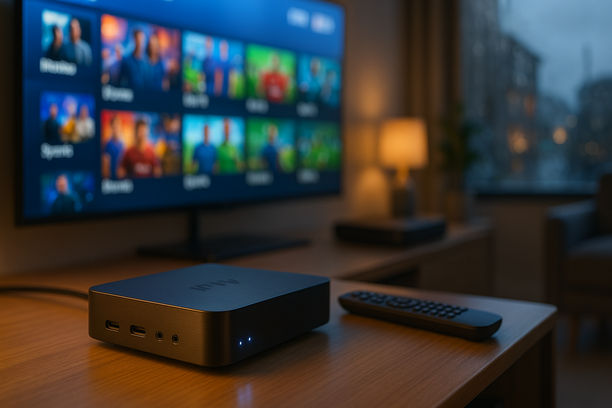
An IPTV box is a small device that plugs into your TV and internet router so you can watch TV channels and on-demand content delivered over the internet instead of through a Sky dish or Virgin cable. Think of it as turning any TV into a smart TV that’s focused on live TV, sports and box sets.
For IPTV beginners, the idea is simple:
- The box connects to your TV via HDMI.
- It connects to your broadband by Wi‑Fi or Ethernet.
- You sign in with an IPTV app or subscription and start watching channels and streams.
Many UK and Irish cord-cutters pair their box with a dedicated IPTV subscription so they get a consistent channel list, EPG (TV guide), and catch-up features. Others follow broader how‑to resources such as the IPTV UK and IPTV Ireland 2025 guide to plan their full cord-cutting setup.
IPTV Box vs Satellite or Cable
Traditional TV in the UK & Ireland has long been controlled by big providers like Sky, Virgin Media and Sky Ireland. According to a recent Statista report, pay‑TV subscriptions in the UK have been gradually declining as more viewers move to internet-based services.
- Signal source:
- Satellite/cable: Needs a dish, coaxial cables and an engineer visit.
- IPTV box: Uses your existing home broadband connection.
- Contracts:
- Satellite/cable: Typically 12–18‑month contracts with early termination fees.
- IPTV box: Usually no long contract; you can switch or cancel monthly IPTV services as needed.
- Channel flexibility:
- Satellite/cable: Fixed bundles; you pay for packs even if you only want a few channels.
- IPTV box: You can pick providers that specialise in sports, international channels, or full‑fat “all‑in” line‑ups.
- Hardware:
- Satellite/cable: Branded box locked to one provider.
- IPTV box: Open Android‑style box that can run multiple IPTV apps.
Many households in the UK and Ireland report that shifting away from full pay‑TV bundles to internet TV helps control monthly costs, especially when sports seasons change or bills jump due to price rises. Guides like cheap IPTV UK can help you benchmark realistic pricing before you switch.
IPTV Box vs Standard Streaming Stick
So what is an IPTV box compared with the Amazon Fire Stick, Roku or Chromecast you might already know?
- Focus:
- Streaming stick: Built for Netflix, Disney+, Prime Video and on‑demand apps.
- IPTV box: Built primarily for live channels, sports and EPG‑style viewing.
- Control and custom apps:
- Streaming stick: App store can be limited; some IPTV apps are restricted or removed.
- IPTV box: Usually Android‑based with the flexibility to install specialist IPTV apps and players.
- Power & storage:
- Streaming stick: Compact but lighter on storage and ports.
- IPTV box: Often has more power, USB ports and space for recording or downloading.
In short, a streaming stick is great for binge‑watching Netflix. An IPTV box is better if you want “old‑school” channel‑surfing, live sport and a familiar TV‑guide feel, but delivered via broadband.
Why IPTV Boxes Are So Popular in the UK & Ireland
Cord-cutting has accelerated as households face rising bills. Ofcom’s media use reports show steady growth in online‑only TV viewing in the UK, while pay‑TV subscriptions decline as viewers seek cheaper alternatives. Similar trends appear in Ireland, where more homes now combine free‑to‑air channels with internet streaming instead of relying solely on Sky or Virgin.
Key reasons IPTV boxes are getting attention:
- Lower monthly cost potential: You buy the box once, then choose an IPTV service that fits your budget instead of being locked into a big bundle.
- Massive channel choice: Many IPTV setups offer UK, Irish and international channels, plus specialised sports and movie content.
- On‑demand and catch‑up: Replay shows, use catch‑up TV and access box sets directly from the same interface.
- Ideal for renters and students: No dish on the wall, no engineer visits, and easy to take the box when you move.
For beginners, an IPTV box is often the central piece in a wider “cut the cord” plan, especially when paired with a well-chosen subscription and a clear setup guide.
The Hidden Problems with Cheap IPTV Boxes: Buffering, Blocks and Legal Risks
Now that you know what an IPTV box is and why it’s popular, it’s time to look at the downside. The cheapest boxes you see on Amazon, eBay or Facebook Marketplace often cause exactly the problems that give IPTV a bad name.
That £25–£40 “fully loaded” IPTV box on Amazon or Facebook Marketplace looks tempting. For most buyers in the UK and Ireland, it turns into a headache: constant buffering, random app crashes, ISP blocks and real legal and privacy risks.
Poor Hardware: Low RAM, Tiny Storage, Sluggish Performance
Most cheap Android/“IPTV” boxes ship with just 1–2GB of RAM and 8–16GB of storage, even when the listing promises far more. That’s barely enough for smooth 1080p, never mind 4K sports or catch-up TV.
- The box struggles to keep apps in memory, so streams crash mid‑match.
- Storage fills up quickly with updates and cache, slowing everything down.
- Remote presses feel delayed; menus stutter or hang.
If a listing doesn’t clearly state RAM and storage, or claims absurd specs for the price (e.g. “8GB RAM, 128GB” for under £40), treat it as a warning sign.
Unreliable Apps and “Fully Loaded” Builds
Many cheap boxes arrive with “fully loaded” Kodi builds or unknown IPTV apps preinstalled. These are unstable and often abandoned by the developers.
- Streams disappear overnight when an add‑on is shut down.
- App updates break existing channels or EPG data.
- Support is non‑existent; sellers vanish after the sale.
A safer route is using a reputable player like an IPTV app from a trusted source, combined with a proper IPTV subscription rather than random “free” lists bundled on the box.
Buffering, Freezing and Poor Picture Quality
Cheap IPTV boxes combine weak hardware, poor Wi‑Fi chips and oversold pirate servers. The result is the classic complaints:
- Buffering every few seconds during big Premier League games.
- Picture dropping to SD quality on a 4K TV.
- Audio out of sync, or streams randomly kicking you back to the menu.
Even with fast broadband, overloaded illegal servers often can’t cope with peak‑time demand. No box can “fix” a bad source.
ISP Blocking in the UK and Ireland
Rights holders like the Premier League and major studios actively target pirate IPTV. UK courts have granted blocking orders forcing ISPs to block illegal streams in real time, and similar measures apply in Ireland.
Common symptoms of blocking include:
- Some channels work fine; sports or movies vanish on match night.
- Streams work on mobile data but fail on home Wi‑Fi.
- Seller tells you to “just try another server” every weekend.
Many users turn to VPNs to bypass this. If you’re considering VPN use with IPTV, read a dedicated guide to the best VPNs for IPTV before you rely on one.
Security and Privacy Risks
There have been repeated reports of cheap Android TV/“fully loaded” boxes shipping with malware and backdoors. Investigations have found preinstalled malware on popular low-cost Android TV boxes that can install additional apps, inject ads, or enrol your device in botnets without your consent.
- Unknown IPTV apps can access your IP address and home network.
- Malicious builds may log what you watch and sell that data.
- Saved Wi‑Fi passwords, login details and even payment info can be exposed if the box is compromised.
If the seller pushes you to turn off Play Protect, install apps from dodgy websites or disable security features, walk away immediately.
Legal Risks: Fines, Notices and Device Seizures
In the UK, selling or distributing pirate IPTV boxes and subscriptions has already led to multi‑year prison sentences and heavy fines for several operators. Users are not immune either. While most prosecutions focus on sellers, rights holders have sent warning letters and notices to end users whose accounts were identified on illegal services.
In both the UK and Ireland, streaming subscription sports, movies and channels from unlicensed services can breach copyright law. That can lead to:
- DMCA‑style takedown notices or warning emails from your ISP.
- Account termination for repeat infringement.
- Devices seized if authorities act against the service you’re using.
If you’re unsure where the line is, it’s worth reading a clear explanation of IPTV legality in the UK and sticking to providers who work within those rules.
How to Spot Red Flags When Shopping
Before you buy any IPTV box in the UK or Ireland, watch out for these warning signs:
- Vague or impossible specs – no clear RAM/storage listed, or “8K/16K ready” marketing at a bargain price.
- “Fully loaded” or “all UK channels free” – almost always means pirate apps and illegal streams.
- Lifetime IPTV included – no legitimate provider can promise this.
- No official app store – or instructions to sideload everything from random links.
- Seller only takes cash/crypto – and no clear company name, returns or terms.
For a more stable experience, focus on a decent, branded streaming device plus a reputable IPTV subscription rather than a mystery “all‑in‑one” box.
Spend your money on quality hardware and a legitimate subscription, not on “too good to be true” fully loaded boxes that are slow, risky and usually short‑lived.
How IPTV Boxes Work (in Plain English): From Broadband to Your TV Screen
Once you’re aware of the pitfalls, it helps to understand how an IPTV box works end‑to‑end. This makes both buying and troubleshooting far easier.
The basic flow in most Irish and UK homes looks like this:
Broadband → Router → IPTV app / box → TV screen
Step 1: Your Home Broadband Does the Heavy Lifting
IPTV needs a decent, stable internet line because every channel is streamed in real time. Many UK and Irish providers recommend at least 10–15 Mbps for HD streams and around 25 Mbps or more for 4K to avoid buffering, which is in line with typical streaming guidance from major platforms such as Netflix’s own speed recommendations.
- If streams keep freezing on every device, the issue is often your broadband or Wi‑Fi, not the IPTV box.
- Wired Ethernet from router → box is usually more stable than Wi‑Fi.
Step 2: Router → Box / Device
Your router takes that internet connection and feeds it to your IPTV device:
Wall socket → Router → (Wi‑Fi or Ethernet) → IPTV device
- Wi‑Fi: easier to set up, but can cause buffering if the signal is weak or there’s interference.
- Ethernet cable: best for 4K, sports and busy households.
If only the IPTV box buffers but other apps on your phone or laptop are fine, check how the box itself is connected to the router.
Step 3: IPTV App + Your Subscription Details
On the device, you run an IPTV app (or IPTV player). Popular players like IPTV Smarters, TiviMate and others don’t provide channels; they just play the streams from your subscription. For a broader view of apps and players, see this IPTV app guide for UK and Ireland.
To tell the app what to play, you usually add:
- An M3U playlist URL (a long web address), or
- A portal URL with username and password (common on MAG-style boxes).
The app reads that playlist file, which is basically a channel list plus the streaming links. No playlist, no channels.
Step 4: EPG Data (the TV Guide)
Next comes the EPG (Electronic Programme Guide). This is a separate feed that tells the app what’s on now and next.
In many setups you’ll have:
M3U playlist URL → channel list
EPG URL → TV guide grid
- If channels work but the guide is empty, your EPG URL or settings are usually wrong.
- If some channels show “No information”, that’s often just missing EPG data from the provider.
Step 5: Playback: How IPTV Works On‑Screen
When you click a channel in the app:
- The app requests that stream from your IPTV provider.
- The provider sends a video stream back over the internet.
- Your IPTV box/app decodes it and sends audio/video to the TV via HDMI.
If one channel buffers but others don’t, it’s often a problem with that specific stream on the provider’s side. If everything buffers, look at your Wi‑Fi, router or ISP.
Android TV Box vs Firestick IPTV vs Smart TV vs Set‑Top Box
Different devices all follow the same chain (router → app → TV) but offer different strengths. This matters when choosing a box, which we’ll build on in the next section.
Android TV Box
An Android TV box is a small mini‑PC running Android, usually with Google Play Store access.
- Connection: Router → Wi‑Fi or Ethernet → Android TV box → HDMI → TV.
- Strengths: Very flexible, supports lots of IPTV players, easy to sideload apps, usually has Ethernet.
- Troubleshooting: If streams freeze, test another app; if both buffer, check Wi‑Fi or switch to Ethernet.
Firestick IPTV (Amazon Fire TV Stick)
The Firestick plugs straight into a TV’s HDMI port and runs Fire OS (Amazon’s version of Android). Many people in the UK use it for Firestick IPTV because it’s cheap and portable. For recommended IPTV setups on Firestick, you can compare options in this guide to the best IPTV for Firestick.
- Connection: Router → Wi‑Fi only → Firestick → HDMI → TV.
- Strengths: Low cost, simple, easy to move between TVs.
- Limitations: No Ethernet by default (you can add an adapter), Wi‑Fi quality is critical.
Smart TV (LG, Samsung, etc.)
Here the TV itself runs the IPTV app, so there’s no separate box.
- Connection: Router → Wi‑Fi or Ethernet → Smart TV (IPTV app built‑in or installed).
- Strengths: Fewer cables, one remote, neat install.
- Limitations: App stores can be restrictive; some IPTV apps are not available or get removed.
For more on smart TV setups in the UK and Ireland, see this guide on IPTV on smart TV.
Dedicated IPTV Set‑Top Box (MAG, Formuler, etc.)
These boxes are built mainly for IPTV, often using portals instead of an M3U playlist.
- Connection: Router → usually Ethernet → IPTV set‑top box → HDMI → TV.
- Strengths: Simple interface, highly stable over Ethernet, remote designed for TV use.
- Limitations: Less flexible than an Android TV box, often tied to one main IPTV app or portal type.
Once you understand the chain — broadband → router → device → IPTV app → playlist + EPG → TV — you can troubleshoot calmly instead of guessing, and you’ll know which specs truly matter in your next box.
Choosing the Right IPTV Box in 2025: Features, Specs and What You Actually Need
With the basics of how IPTV works in place, you can now focus on picking a box that matches your home, your budget and your viewing habits.
Price Brackets: What You Really Get at Each Level
For UK/Ireland, typical Android/streaming box prices in 2025 break down roughly as:
- Budget: £30–£60 / €35–€70 – basic 1080p, lower storage, often weaker Wi‑Fi.
- Mid-range: £70–£120 / €80–€140 – better CPU/RAM, stable 4K, dual‑band Wi‑Fi, decent remote.
- Premium: £130–£220+ / €150–€250+ – powerful chips, 4K HDR, Wi‑Fi 6/6E, more storage, best remotes and OS support.
Most beginners in the UK and Ireland are fine in the mid‑range. Save the premium tier for heavy users or those who hate lag and plan to keep the box for 3–5 years.
Wi‑Fi vs Ethernet IPTV: Which Should You Pick?
For IPTV streaming, connection stability matters more than raw speed.
- Ethernet (wired) – Best for reliability. If your router is near the TV, always prefer a box with a Gigabit Ethernet port.
- Wi‑Fi 5 (AC) – OK for 1080p and light 4K if your router isn’t ancient and you’re fairly close to it.
- Wi‑Fi 6 (AX) – Gives smoother 4K and multiple streams in busy homes, especially in apartments.
For most users: choose Ethernet first, then Wi‑Fi 5 or Wi‑Fi 6 as a backup.
4K Support, CPU, RAM and Storage: What’s Actually Needed?
If you’re upgrading from basic Freeview/Saorview, spec sheets can be confusing. Use these simple targets:
- Resolution:
- Have a 4K TV? Buy a 4K‑capable IPTV box with HDR support.
- Still on a 1080p TV? 4K support is “nice to have” but not essential.
- CPU (processor):
- Look for modern multi‑core chips (e.g. recent Amlogic models).
- Avoid very old or unknown chipsets that struggle with fast channel zapping.
- RAM:
- 2GB RAM – minimum for live TV and on‑demand only.
- 3–4GB RAM – better for VPNs, multiple apps and PVR use.
- Storage:
- 16GB – enough for a simple IPTV app setup.
- 32GB+ – better if you install many apps or keep downloads offline.
- USB or microSD support lets you expand storage cheaply.
Remote Quality, EPG and Recording: Comfort Features That Matter
The best box on paper is useless if the remote is annoying. Look for:
- Bluetooth / RF remote so you don’t need to point directly at the box.
- Backlit buttons for dark rooms.
- Comfortable layout for channel surfing and EPG use.
For IPTV-style viewing in the UK and Ireland, you’ll also want:
- Good EPG support – the player app (see best IPTV player apps) should show a clear 7‑day guide with channel logos.
- Recording / catch‑up – many IPTV providers and apps offer catch‑up or recording to USB; check the box has USB 2.0 or 3.0 ports.
OS Updates and App Availability
Any serious IPTV box buying guide should stress software, not just hardware.
- Operating system – Android TV / Google TV interfaces usually have better app support and updates than unknown custom systems.
- App store access – You’ll want easy access to IPTV apps, streaming platforms and, ideally, sideloading if needed.
- Updates – Boxes with active updates stay secure and compatible longer, especially if you also run a VPN from guides like best VPNs for IPTV.
Beginners vs Power Users: What to Prioritise
For beginners / casual cord‑cutters in the UK and Ireland:
- Budget to low mid‑range: £50–£90 / €60–€100.
- 2GB RAM, 16GB storage, dual‑band Wi‑Fi and Ethernet.
- Simple remote and straightforward IPTV app.
- Follow a clear guide like the IPTV subscription guide for UK & Ireland when picking a provider.
For power users who watch a lot of 4K or run multiple apps:
- Mid‑range to premium: £100–£200 / €120–€220.
- 4GB RAM, 32GB+ storage, strong modern CPU.
- Gigabit Ethernet plus Wi‑Fi 6, USB ports for recording and external drives.
Quick Buying Scenarios
- If you just want to replace Sky/Virgin with IPTV: Pick a mid‑range 4K box with 2–3GB RAM, Ethernet and a simple remote.
- If you watch 4K and record channels: Choose a box with 4GB RAM, 32GB storage, USB 3.0 and Gigabit Ethernet, then add an external drive.
- If your router is in another room and you can’t run a cable: Go for a Wi‑Fi 6‑equipped box and consider powerline adapters.
- If you’re on a strict budget: A £30–£50 / €35–€60 box with 2GB RAM and Ethernet works for 1080p IPTV if you keep apps to a minimum.
Focus on stable internet, enough RAM and a usable remote. Extra storage, flashy badges and gimmicks rarely change your day‑to‑day viewing experience.
Best IPTV Boxes for UK & Ireland Right Now: Devices, Typical Prices and Use Cases
Once you know which specs you care about, you can compare the main device types that UK and Irish cord-cutters actually use. The table below summarises the typical 2025 options.
| Device Type | Typical Price (UK/IE) | Connection | Best For |
|---|---|---|---|
| Amazon Fire TV Stick (HD / 4K) | £29–£70 / €30–€80 | Wi‑Fi (Ethernet via adapter) | Beginners, budget users, first IPTV test |
| Nvidia Shield TV / Pro | £150–£220 / €170–€250 | Wi‑Fi + Ethernet | Power users, 4K HDR, gaming + IPTV |
| Formuler / MAG set‑top box | £80–£160 / €90–€180 | Mainly Ethernet | “TV‑first” live channels and EPG |
| Budget Android TV box | £25–£60 / €30–€70 | Wi‑Fi + sometimes Ethernet | Experimenters, secondary TVs |
1. Amazon Fire TV Stick – Easiest Starting Point for Most Homes
For beginners, the Amazon Fire TV Stick is usually the simplest way to start using IPTV-style apps on a normal TV.
Typical price (UK/IE 2025)
- Fire TV Stick Lite / standard Fire TV Stick: often £29–£39 / €30–€45 during sales.
- Fire TV Stick 4K / 4K Max: usually £45–£70 / €50–€80.
Pros
- Low cost – ideal if you’re testing IPTV for the first time.
- Plugs straight into HDMI and hides behind the TV.
- Access to official app store (Netflix, Prime, Disney+, BBC iPlayer, RTÉ Player, YouTube, IPTV players, etc.).
Cons
- Wi‑Fi only on most models; weak signal can cause buffering.
- Interface is Amazon‑centric and pushes Prime Video.
- Less storage and power than premium Android TV boxes.
2. Nvidia Shield TV – Premium Choice for Power Users
The Nvidia Shield TV and Shield TV Pro are often ranked near the top of “best IPTV box UK” lists thanks to speed, AI upscaling and long support life.
Typical price (UK/IE 2025)
- Nvidia Shield TV (tube): £150–£170 / €170–€190.
- Nvidia Shield TV Pro: £190–£220 / €210–€250.
Pros
- Very fast interface, ideal for large IPTV channel lists.
- Certified Android TV/Google TV – full 4K support for major streaming apps.
- Strong Wi‑Fi and Ethernet; excellent for stable 4K IPTV streams.
- Handles cloud gaming as well as TV.
Cons
- Premium price – excessive if you only need basic live TV.
- No bundled IPTV service – you still pick and pay for a subscription.
3. Formuler & MAG-Style Set‑Top Boxes – IPTV‑Focused Devices
A dedicated Formuler or MAG box looks and feels more like a traditional Sky or Virgin set‑top box, with a strong focus on live TV and channel zapping.
Typical price (UK/IE 2025)
- Formuler Z10 / Z11 series: £110–£160 / €120–€180.
- MAG boxes (e.g. Infomir): £80–£130 / €90–€150.
Pros
- Interface and remote are designed around live IPTV channels, EPG and catch‑up.
- Advanced features like multi-screen and recording (with storage attached).
- Good choice for users moving from satellite/cable who want a “TV‑first” feel.
Cons
- Higher price than a Fire Stick or basic Android TV box.
- Best used with providers that support portal‑style logins.
- Less flexible than full Android TV for general apps.
4. Budget Android TV/Android Boxes – Cheapest Route, Mixed Quality
A generic budget IPTV box from Amazon, eBay or AliExpress can be tempting when you see 4K Android boxes advertised for under £30, but quality varies a lot.
Typical price (UK/IE 2025)
- Low-cost Android TV/Android boxes: £25–£60 / €30–€70.
Pros
- Very low upfront cost.
- Run Android, so you can install many IPTV players and YouTube.
- Some models offer Ethernet and USB.
Cons
- Many are not Google‑certified – Netflix and others may be limited to SD.
- Firmware updates are rare; long‑term security and stability are weaker.
- Specs are sometimes exaggerated; performance can feel sluggish.
If you’re serious about replacing Sky or Virgin as your main TV service, treat very cheap Android boxes carefully and favour known brands or IPTV‑centric boxes instead.
Real‑World Setup: IPTV Box Step‑by‑Step Setup and Optimisation
After choosing your device, the next job is getting it working smoothly in a typical UK or Irish living room. The steps below follow the same order you saw when we explained how IPTV works, but with practical details you can follow on the sofa.
Step 1: Unboxing and Quick Checks
Inside the box you should typically find:
- IPTV / Android TV box
- HDMI cable
- Power adapter (UK/Irish plug)
- Remote control + batteries
- Sometimes an Ethernet cable
Before you plug anything in, check:
- Your TV has a spare HDMI port.
- Your router is close enough for an Ethernet cable (ideal), or you have strong Wi‑Fi where the TV is.
- You know your Wi‑Fi name and password.
Step 2: Hooking the Box Up to Your TV and Broadband
- Connect HDMI from the IPTV box to the TV.
- Connect power to the IPTV box but don’t switch it on yet.
- Decide how you’ll connect to the internet:
- Ethernet (recommended) – plug the Ethernet cable from the box into a spare LAN port on your router.
- Wi‑Fi – only use this if you have strong signal at the TV.
- Switch on the TV and select the HDMI input your box is on.
- Turn on the IPTV box – you should see a boot logo, then the home screen.
Step 3: First‑Time Setup and Connecting to the Internet
Most IPTV/Android boxes follow a similar on‑screen wizard. On the remote:
- Choose language (English UK/Ireland).
- Set region/time zone correctly – this matters for accurate EPG and catch‑up timing.
- Connect to the internet:
- If using Ethernet, it usually just shows “Connected”.
- If using Wi‑Fi, go to Settings > Network & Internet > Wi‑Fi, pick your network and enter the password.
For smooth HD streams, aim for at least 10–15 Mbps download; for 4K, 25 Mbps+ per Netflix speed guidance. If you’re unsure, open the browser and run a speed test.
Step 4: Installing a Legal IPTV / Streaming App
On Android‑based boxes, you’ll usually see the Google Play Store.
- Open Google Play Store.
- Search for your IPTV player of choice (IPTV Smarters, TiviMate, etc.).
- Install the app and confirm it appears on the home screen.
If you’re comparing players and subscriptions, review the best IPTV player apps guide before you commit.
Legal reminder: in the UK and Ireland, using official apps (Netflix, Disney+, Now, etc.) and properly licensed IPTV providers is legal. Unlicensed restreams of subscription sports or movies are not. The article on IPTV legality in the UK covers the key points.
Step 5: Adding Your IPTV Subscription Details
If you already have an IPTV subscription, your provider normally sends you:
- Username, password, and portal URL (Xtream Codes style), or
- An M3U playlist link and usually a separate EPG URL.
- Open your IPTV app.
- Choose “Add New Playlist” or “Add New Connection”.
- Select login type (Xtream Codes API or M3U URL) and enter the details.
- Name the playlist clearly (for example, “Main UK/IE”).
- Save or log in and wait for channels to load.
If you’re completely new to subscriptions, the IPTV subscription installation guide walks through activation on different devices, including boxes.
Step 6: EPG Setup – Getting the TV Guide Working
An IPTV box feels half‑finished without a proper TV guide. Usually you’ll either:
- Have automatic EPG bundled with your playlist, or
- Receive a separate XML/ZIP link for the EPG.
- Open the IPTV app settings.
- Go to EPG or TV Guide.
- Add the EPG source/URL if needed.
- Save and select “Update EPG” or “Refresh Guide”.
If times look off by one hour, check time zone and daylight savings in Settings > Date & Time.
Step 7: Testing Picture Quality and Audio
- Watch a UK HD channel for a few minutes – look for stuttering or blocky artefacts.
- Test a sports channel to check motion handling.
- Try a movie or 4K channel if included.
If the picture looks wrong, adjust:
- Box settings > Display > Resolution – set 1080p 50Hz or 2160p 50Hz to match your TV.
- TV picture mode – avoid “Eco”; use “Standard” or “Cinema”.
Step 8: How to Reduce IPTV Buffering – Optimisation That Works
- Use Ethernet if possible – biggest single improvement for live sport.
- If on Wi‑Fi, move the router off the floor and closer to the TV.
- Use 5 GHz band for boxes in the same room as the router.
- Enable QoS on your router and prioritise the IPTV box.
- Lower stream quality from 4K to 1080p if your line is borderline.
Some users also run a VPN. A good VPN can sometimes improve routes to international servers, but it can also add overhead. The VPNs for IPTV guide explains pros, cons and recommended providers for UK/IE users.
Troubleshooting & FAQs: Fixing IPTV Box Issues and Staying Legal
Even with careful setup, issues happen. The good news is that most “IPTV box not working” problems follow predictable patterns.
Quick Fixes When Your IPTV Box Is Not Working
No Picture or No Sound
- Confirm the TV is on the correct HDMI source.
- Try a different HDMI port and cable.
- Reboot both TV and box at the wall.
- For sound issues, set the box audio output to PCM/Stereo.
App Crashes or Freezes
- Force close the app and clear its cache.
- Update the app from the Play Store or official source.
- Reboot the box; if needed, reinstall the app.
Channels Not Loading or Missing EPG
- Check M3U/portal URL, username and password carefully.
- Test your subscription on another device.
- Reload channels or refresh EPG inside the app.
Buffering: IPTV Buffering Fix Checklist
- Run a speed test – for 1080p aim for 15–20 Mbps spare; for 4K, 25 Mbps+.
- Switch from Wi‑Fi to Ethernet if possible.
- Move the box and router closer together or reduce obstructions.
- Drop resolution to 1080p or 720p in the app.
- Pause large downloads and cloud backups on other devices.
- Consider a reputable VPN if your ISP is throttling, but only with legal services.
Overheating and Box Shutting Down
- Place the box on an open shelf; avoid stacking on other electronics.
- Dust vents lightly.
- Use the original power adapter.
ISP Blocking & VPN Use
- If channels only work on mobile data but not on home Wi‑Fi, blocking is likely.
- Hotspot your phone to test another network.
- Use a reputable VPN with legal IPTV services if you suspect unfair throttling.
Legal FAQs: Staying on the Right Side of the Law (UK & Ireland)
Is IPTV Legal in the UK and Ireland?
Yes, IPTV technology itself is legal in both the UK and Ireland. The issue is whether the service has rights to the channels, films and sports it streams.
- Legal services include major broadcasters’ apps and paid IPTV providers that openly state they have content licences.
- Illegal services are typically ultra‑cheap “all channels worldwide + PPV” packages sold via Telegram, WhatsApp or Facebook groups.
For a full breakdown, see is IPTV legal in the UK (the same copyright principles broadly apply in Ireland).
How to Recognise Pirate / Illegal IPTV Boxes and Services
- No clear company details, address or VAT number.
- Payment only by crypto or gift cards.
- Unrealistic channel lists for a tiny yearly fee.
- “Fully loaded” boxes with dozens of pirate apps.
- Marketing focused on “stay hidden with VPN” rather than content quality.
Refunds & Consumer Rights for IPTV in the UK and Ireland
- If digital services are not as described or faulty, you may have rights to a remedy under consumer law.
- Pay by card or PayPal where possible for extra dispute options.
- Always read the seller’s refund policy; for example, see the refund policy on established IPTV sites to understand typical rules.
- With pirate IPTV, you usually have no realistic way to recover your money if the service vanishes.
Buyer Decision Checklist: Should You Buy an IPTV Box – and Which Type?
- Your situation:
- You want to cut Sky/Virgin bills but still watch UK/Ireland channels.
- Your broadband is at least ~30 Mbps and reasonably stable.
- You’re comfortable using app‑based menus.
- You probably should buy an IPTV box if:
- Your current smart TV is slow or missing key apps.
- You want one simple interface for live TV, catch‑up and streaming apps.
- Choose this type of box:
- Android TV / Google TV box – best all‑round option for most cord‑cutters.
- Linux/MAG‑style box – good if you only care about a single IPTV portal and EPG.
- Existing device (Firestick, Smart TV) – if you already own one, follow an IPTV app guide or the subscription guide before buying new hardware.
- Walk away if:
- The seller can’t show legal rights, offers no support, or only takes irreversible payments.
- The box is marketed as “jailbroken” or “fully loaded with free Sky Sports, movies and PPV for life”.
If you choose a reputable provider that clearly offers legal IPTV services UK and Ireland viewers can rely on, an IPTV box can legitimately replace expensive traditional TV packages.
Conclusion: Quick Verdict and Next Steps
IPTV boxes are ideal if you want fast navigation, 4K support and a simple TV-like feel without long contracts. The box is usually a one‑off cost; channels and on‑demand content come from the apps and subscriptions you choose.
For most beginners in the UK and Ireland:
- Budget users: Choose a basic Android TV box or Firestick and pair it with a trusted IPTV subscription that clearly states licensed channels.
- Sports and 4K fans: Pick a higher‑spec box (more RAM, Ethernet, dual‑band Wi‑Fi) and stick to reputable apps from official stores.
- Non‑techy households: Consider a simple plug‑and‑play box with a clean remote and strong EPG support.
To stay safe and legal, always:
- Check UK guidance on illegal streaming devices at GOV.UK and Irish TV rules via ComReg.
- Avoid “all channels forever” offers, unbranded boxes and sellers that only accept crypto or gift cards.
- Use a quality VPN if you value privacy when streaming; see this VPN guide for IPTV.
Next steps: compare box prices and IPTV plans, pick a reputable seller with real reviews, then install only legal IPTV apps and licensed subscriptions. For up‑to‑date deals, setup advice and UK/Ireland‑specific tips, bookmark the main IPTV Smarters Ireland/UK hub and the latest blog guides before you buy.
References
- Statista – Pay TV subscriptions in the United Kingdom
- ISPreview – High Court Renews UK ISPs Live Premier League Football Streaming Blocks
- Tom’s Guide – Malware found on Android TV boxes
- BBC News – Illegal streaming gang jailed for multi-million pound operation
- Netflix Help Center – Internet Connection Speed Recommendations
- GOV.UK – Illegal streaming devices are a crime, not a bargain
- ComReg – TV and Radio Information for Consumers